


Understand your sales numbers
What each number on Home and in the Analytics tab means.
On the home screen
Home shows the event that you selected:
- your net revenue
- the number of tickets remaining
- the event date and a countdown
While the app is open, Home refreshes approximately every 20 seconds.
The Analytics tab
The Analytics tab has two pages: Sales and Check-ins. Tap a name at the top, or swipe, to change the page. While the doors are open, the tab opens on Check-ins, and Check-ins shows a live mark.
Pull down on a page to refresh it.
Sales
Before the first sale, the Sales page shows only the tickets on sale and the time until the event.
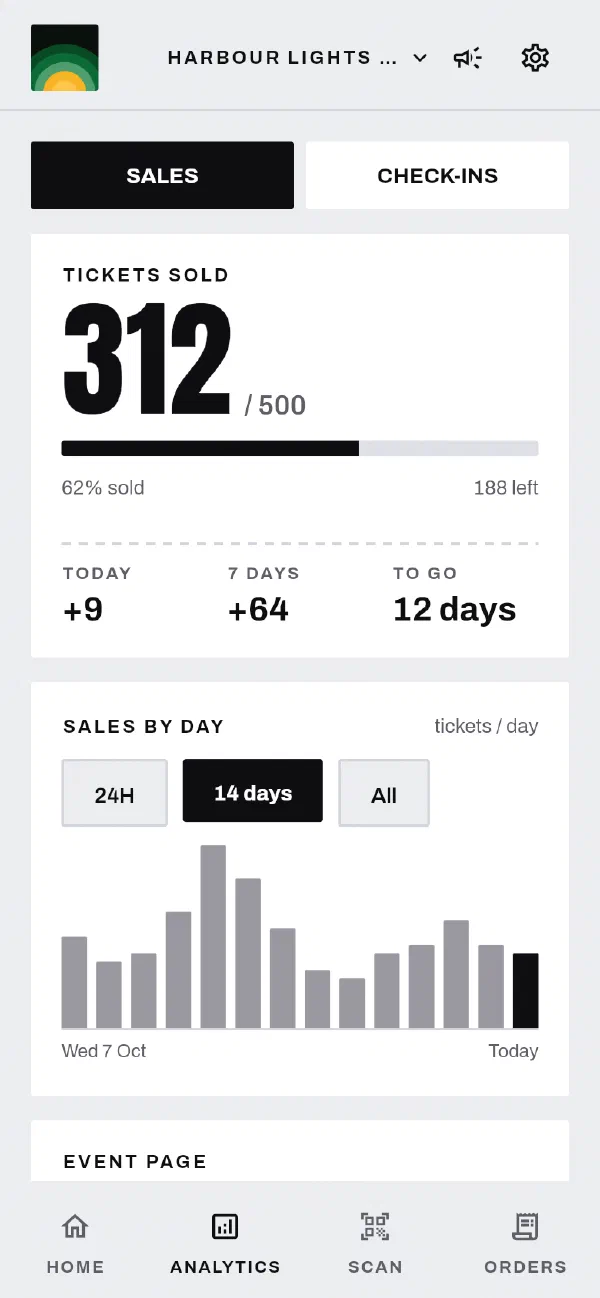
After the first sale, the page shows these panels:
| Panel | What it shows |
|---|---|
| Tickets sold | Tickets sold out of your total, and the number left. Before the event ends, it also shows the tickets sold today and in the last 7 days, and the time until the event. |
| Sales by day | A chart of tickets sold. Choose 24H for each hour of the last 24 hours, 14 days for each day of the last two weeks, or All for every day from the first sale. Tap a bar to see its numbers. Tap it again to hide them. |
| Event page | The visits to your event page, the visitors who started checkout and the visitors who bought. Where buyers came from lists visits and orders for each source. This panel shows only after your page gets visits. |
| Ticket types | Each ticket type with the number sold out of the number available. A label shows the tickets that are still available. When few tickets are left, the label changes colour. When none are left, it shows Sold out. |
| Compared with your last event | Your ticket sales against your previous event, at the same number of days before each event. This panel shows only if you had a previous event. |
| Money | Your ticket sales, your refunds and the card fees, with the net revenue that is left. It also shows your next payout. |
The rows in the Money panel are:
| Row | What it is |
|---|---|
| Ticket sales | The ticket prices that buyers paid, without GST |
| Refunds | The money that you returned to buyers. This row shows only if you made a refund. |
| Card fees | The card processing fees on your payments. These fees come out of your payments. |
| Net revenue | Ticket sales less refunds and card fees |
| Next payout | The date and the amount of the next payment to your bank account. estimated means that the payout has not started yet, so the amount can change. This figure is for your whole account, not only this event. |
The booking fee that buyers pay at checkout is ours. It is not part of these numbers.
Check-ins
The Check-ins page shows these panels:
| Panel | What it shows |
|---|---|
| Checked in | The people checked in, out of the tickets sold, and the number still to arrive. While the doors are open, it also shows the check-ins in the last 15 minutes and the time of the last scan. |
| Arrivals | A chart of check-ins in each 15-minute period. |
| By ticket type | The check-ins for each ticket type. |
After the event ends, the first panel changes to Turnout. It shows:
- the percentage of ticket holders who came
- the number who did not come
- the time when half of them were in
- the time of the last scan
Tell us at support@gate98.co and we will fix it.