


Create an event
Four short steps: the basics, a poster, a location and your tickets.
On Home, open the event selector at the top and choose to create an event. You use the same form to edit an event later.
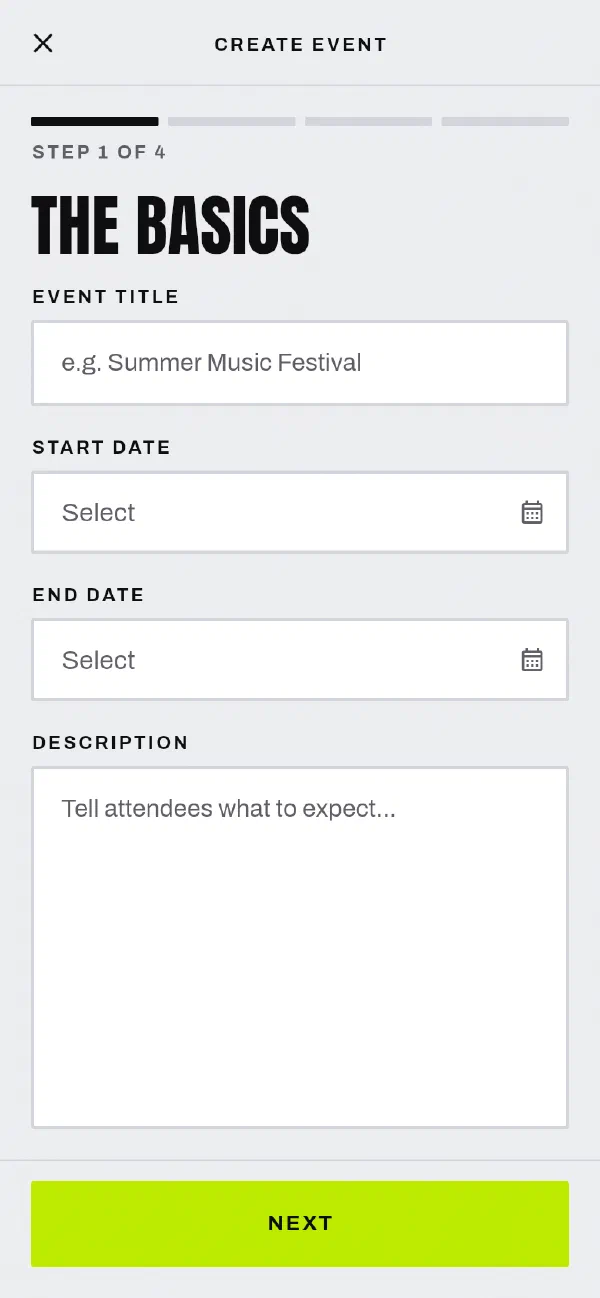
Step 1: The basics
Enter the title, the start and end times and a description. Before you can continue, the app checks these rules:
- The title has more than 12 characters.
- The description has more than 150 characters.
- The event ends 2 days or more from now.
- The event lasts between 1 hour and 3 days.
Step 2: Poster image
Choose an image and crop it. Buyers see this image on your event page. A new event must have a poster. The app accepts JPEG and PNG images.
Step 3: Location
Type the venue address, then choose it from the list. Address search covers Australia only. You must choose an address from the results.
Step 4: Tickets
Add one or more ticket types. For each ticket type, enter:
- a name, for example General Admission or VIP
- a price
- the number of tickets available
You need at least one ticket type. You can change the order of the ticket types and remove the ones you do not want.
Tap Finish to save the event.
What next
Tell us at support@gate98.co and we will fix it.