


Orders and refunds
Find an order, fix a buyer's details, resend tickets or refund them.
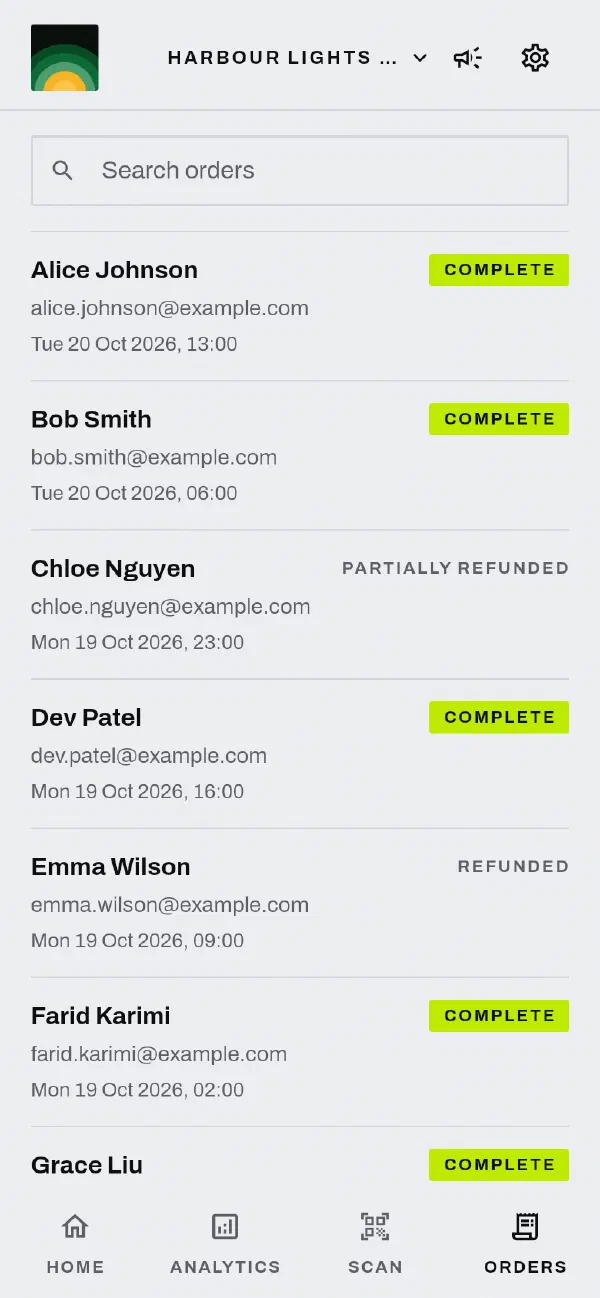
Find an order
Open the Orders tab. An order shows in the list when the buyer completes it. The list goes back to your first order.
- To find an order, type the buyer's name or email in the search field.
- The list does not show pending or cancelled orders.
- To refresh the list, pull it down.
Tap an order to see the buyer, the order status, each ticket line and the totals. Each ticket line shows the number of tickets that you refunded.
Edit a buyer's details
- Open the order.
- In the Customer section, tap Edit.
- Change the buyer's name, email or phone number. The phone number must be a valid Australian number.
- Tap Save.
Use this to correct a mistake before you resend the tickets.
Resend tickets
- Open the order.
- Choose Resend Tickets.
- Confirm the email address, then tap Send.
We send the receipt and the tickets again. The email does not include refunded tickets, so every ticket in it scans.
Refund tickets
- Open the order.
- Tap Refund. A list shows the tickets that you can still refund, with their prices.
- Select the tickets to refund.
- Choose a reason.
- Tap Refund.
Know these rules:
- You refund individual tickets. You cannot refund a different amount.
- Each refund returns the ticket price plus GST to the buyer's original payment method. The GST rate is the rate on the order.
- A refunded ticket is not valid for entry.
- A refund shows as pending until the payment provider completes it.
The reason and the booking fee
The reason controls whether the refund also returns the booking fee:
| Reason | Booking fee |
|---|---|
| Event significantly changed | Returned |
| Event postponed, buyer can't attend | Returned |
| Change of mind | Not returned |
| Goodwill | Not returned |
When a refund returns the booking fee, each ticket returns an equal share of the fee. The refund form shows the amount before you confirm. The booking fee share comes from your balance, like the rest of the refund.
The app shows only the reasons that apply to the order:
- A buyer can ask for a full refund after you postpone the event or change its date, time or venue. While the buyer has time to ask, the app shows only the change or postponement reason. See cancel or change an event.
- At other times, the app shows Change of mind and Goodwill. If the buyer got an email about a change, the app also shows that change's reason.
- If you cancelled the event, the cancellation refunds every order. You cannot refund an order yourself.
See our Refund Policy for what buyers are owed.
Related
Tell us at support@gate98.co and we will fix it.