
Publish and share your event
Publish your event, copy the link and send it to your audience.
Publish
On Home, an event that is not live shows a Publish button. To publish, you need these three items:
- a verified email address
- your business details (see set up payments)
- payments set up
If an item is missing, a banner at the top of the screen shows the first missing item.
When you have all three items, tap Publish. If your business details are missing, the app opens the business details form.
Share your link
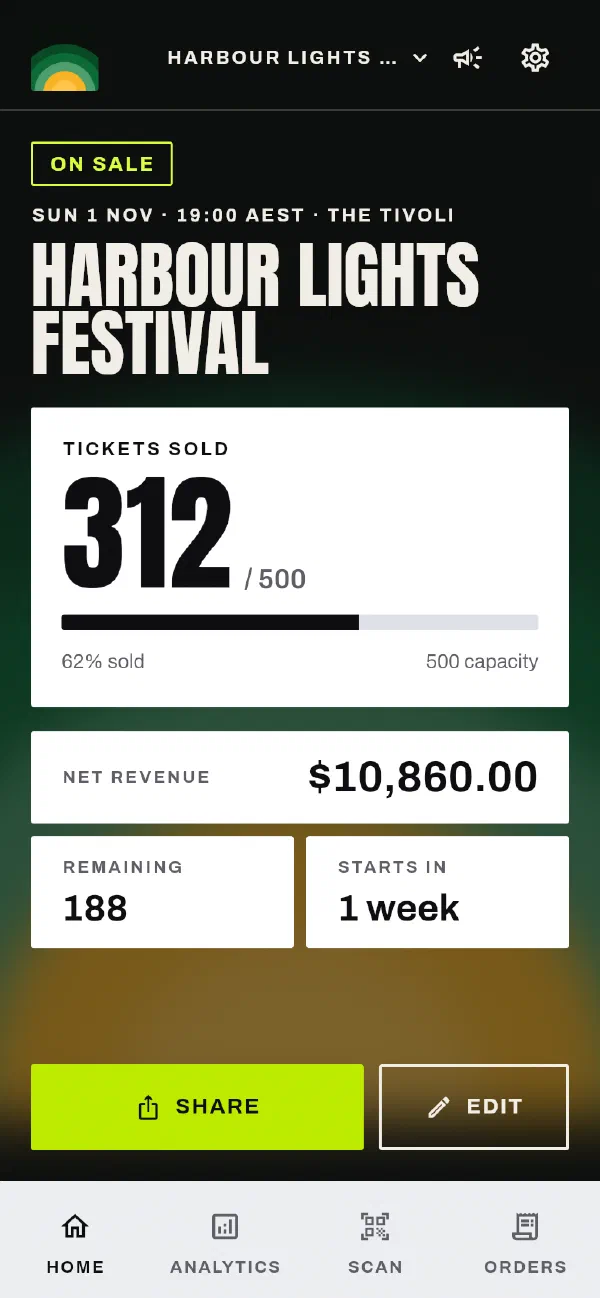
When the event is live, the button on Home changes to Share. This button copies the public link to your event. Paste the link anywhere: a message, a social post, your website or an email.
What buyers see
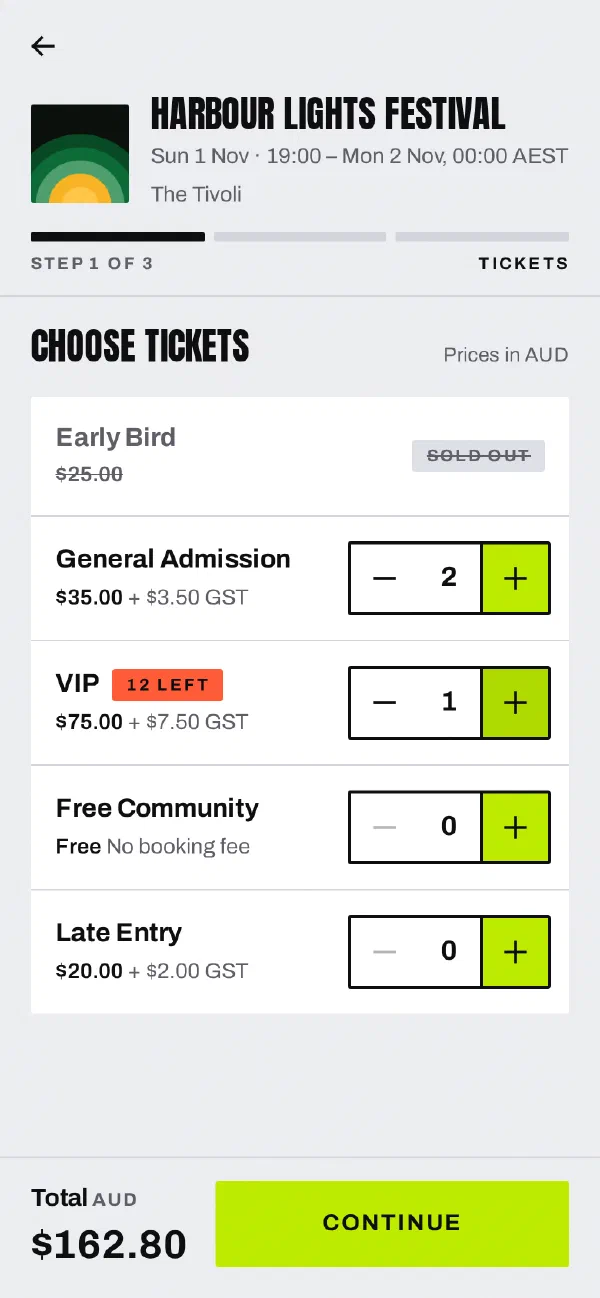
Your link opens your event page. The page shows the poster, the date, the venue and your ticket types. A buyer then does these steps:
- The buyer chooses the number of each ticket type.
- We hold the tickets for 10 minutes while the buyer enters their details and pays. Nobody else can take the tickets in this time. If the buyer does not finish, we release the tickets.
- The buyer enters their name, their email and an optional phone number. Then they accept the ticket purchase terms.
- The buyer pays by card. The checkout shows the booking fee before the buyer pays.
- The buyer sees a confirmation page. We email the buyer a receipt and their tickets as PDFs. Each ticket has its own QR code.
Buyers do not need an account or the app.
Questions from visitors
Visitors can send you a message from your event page. We email you their name and their message.
What next
On the day of the event, scan tickets at the door.
Tell us at support@gate98.co and we will fix it.